
Agamotto
Time Manipulation & Simulation Tool for Unity
What is it?
Agamotto is a time manipulation and simulation tool for Unity. It allows you to record objects' states in the past or simulate their physical and logical trajectories into the future, enabling smooth timeline scrubbing, rewinding, and trajectory forecasting.
Agamotto supports both deterministic physics simulations and code-driven simulations, complete with non-allocating timeline storage, trajectory renderers, and onion skinning tools.
Video Walkthroughs
Presentation Overview
Feature & Demo Walkthrough
Quick Start
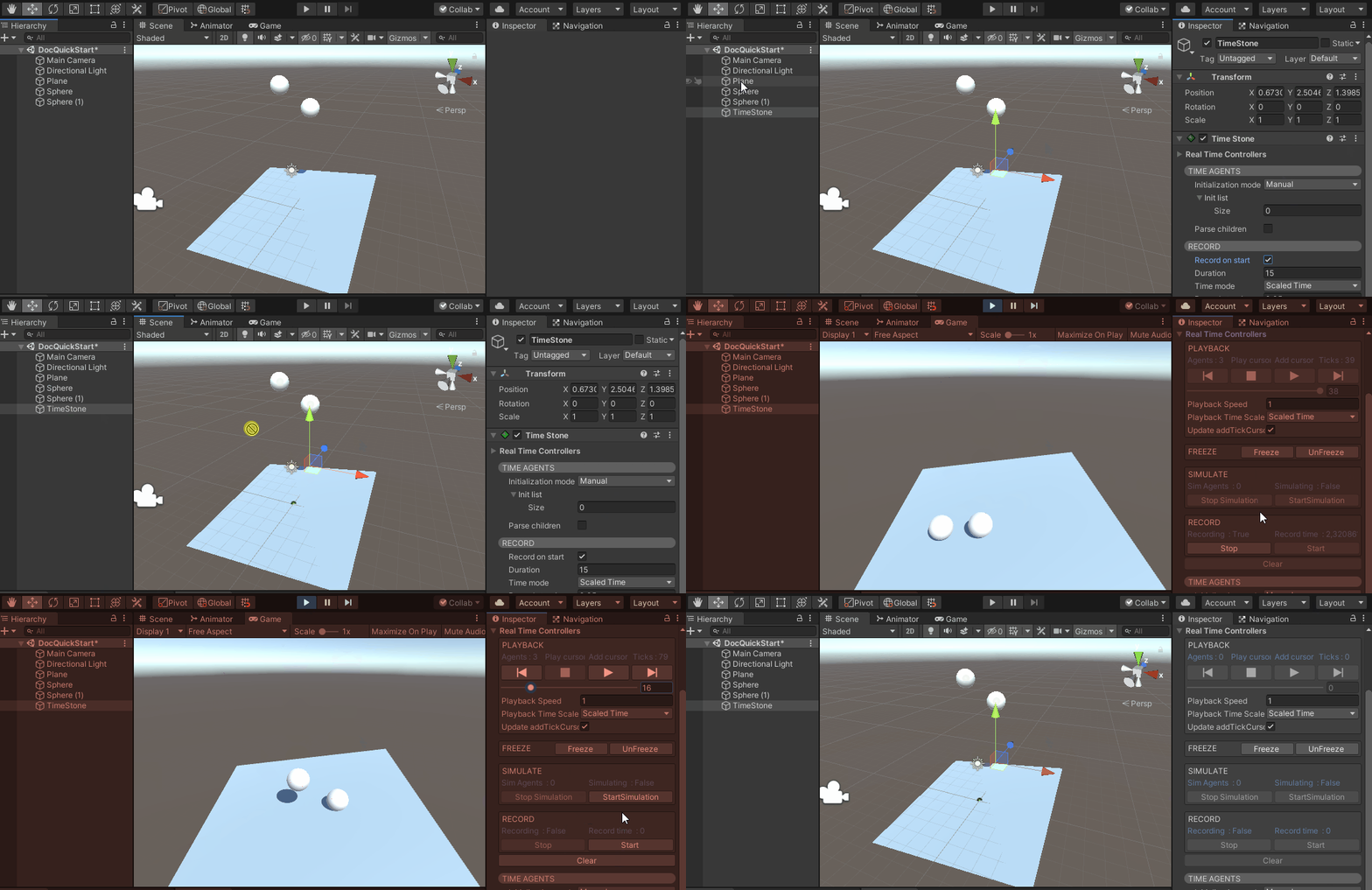
- Add a TimeStone: Add a
TimeStonecomponent to an empty GameObject in your scene. - Enable Recording: In the TimeStone Inspector, check Record on start.
- Add TimeAgents: Attach a
TimeAgentcomponent to every GameObject you wish to record or simulate (e.g. falling spheres, physics props, characters). - Initialize Agent List: Configure your TimeStone to target these agents (manually, by Tag, or by Layer).
- Hit Play: Press Play in the editor. Use the TimeStone runtime controller to pause, rewind, scrub, and inspect positions across the timeline.
Unity Compatibility
- Unity 2020.1+ / 2021 LTS / 2022 LTS — Fully Tested & Supported
- Unity 2019.4 LTS — Minimum Supported Version
- Unity 2018 and older — Unsupported
Core Components
`TimeStone`
The orchestrator and central controller of Agamotto. It is responsible for:
- Persisting continuous frame data for all tracked
TimeAgents. - Executing physics and code-driven forward simulations.
- Managing playback cursors (
playbackTickCursorandaddTickCursor).
`TimeAgent`
Attached to GameObjects that participate in time manipulation. Tracks transform positions, rotations, velocities, and custom user data over time.
Visualizers: `PathVisualizer` & `OnionSkinVisualizer`
- PathVisualizer: Uses Unity's
LineRendererwith tolerance-based vertex simplification to draw smooth predictive paths and trajectories. - OnionSkinVisualizer: Renders ghosted duplicate meshes across past and future timeline ticks for visual pose inspection and trajectory debugging.
Included Demo Projects
Agamotto includes multiple complete example scenes showcasing different use cases:
Physics Prediction (Pool Demo)
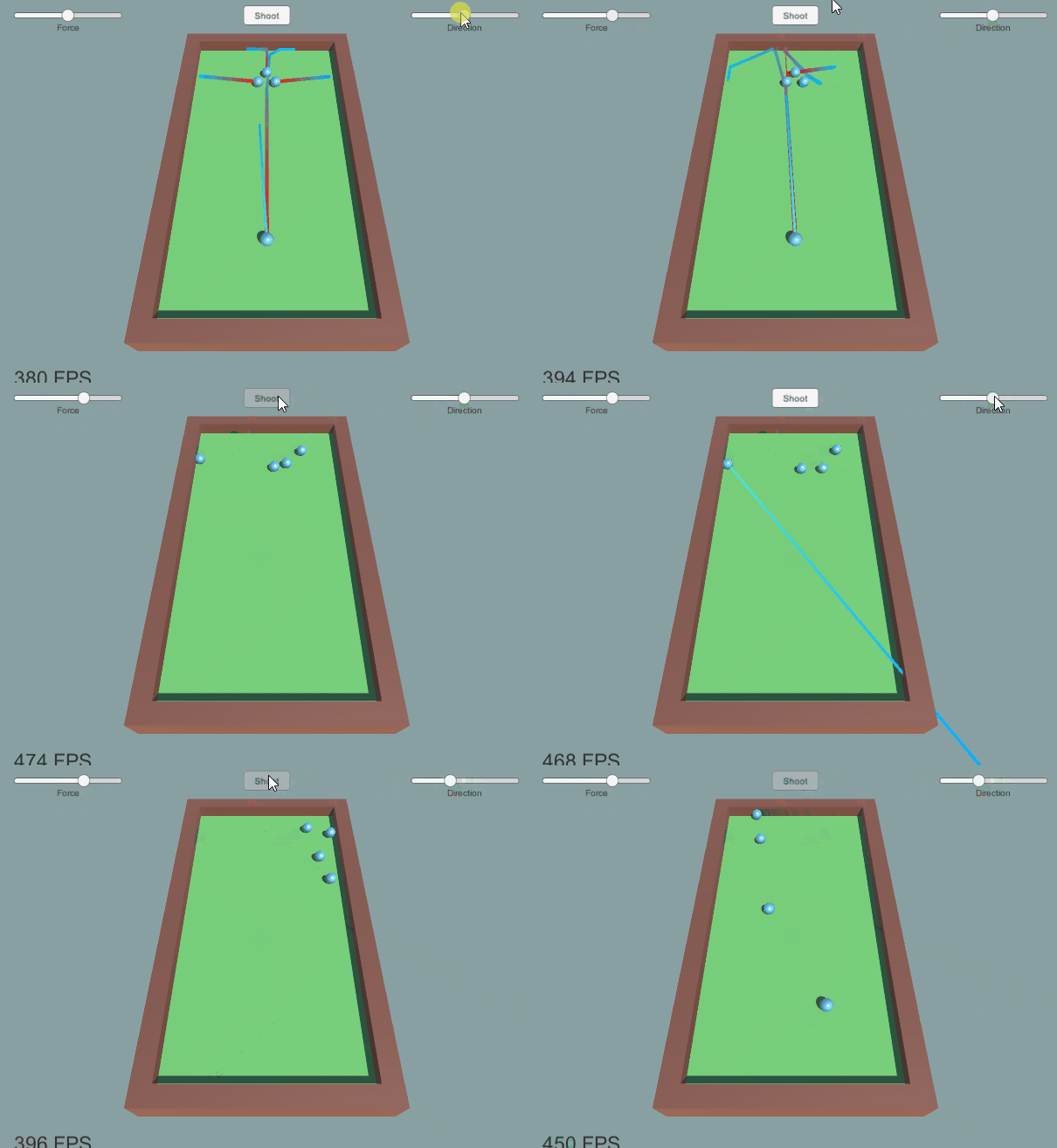
Interactive trajectory forecasting for bounces, collisions, and cue shots.
Interactive Sorcerer (FPS Demo)
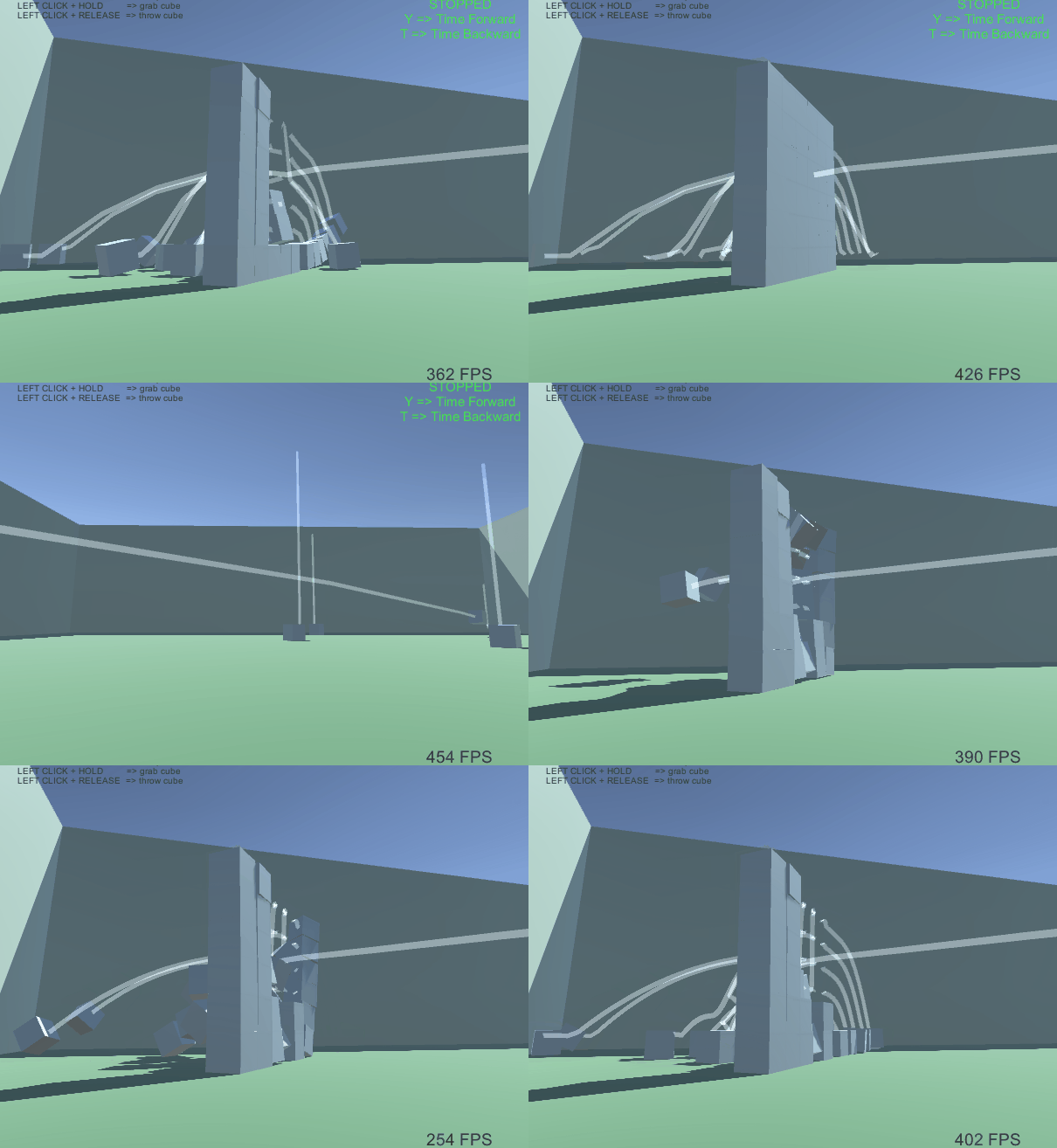
Grab, freeze, simulate, and rewind physical objects from a first-person perspective.
Code & Agent Simulation
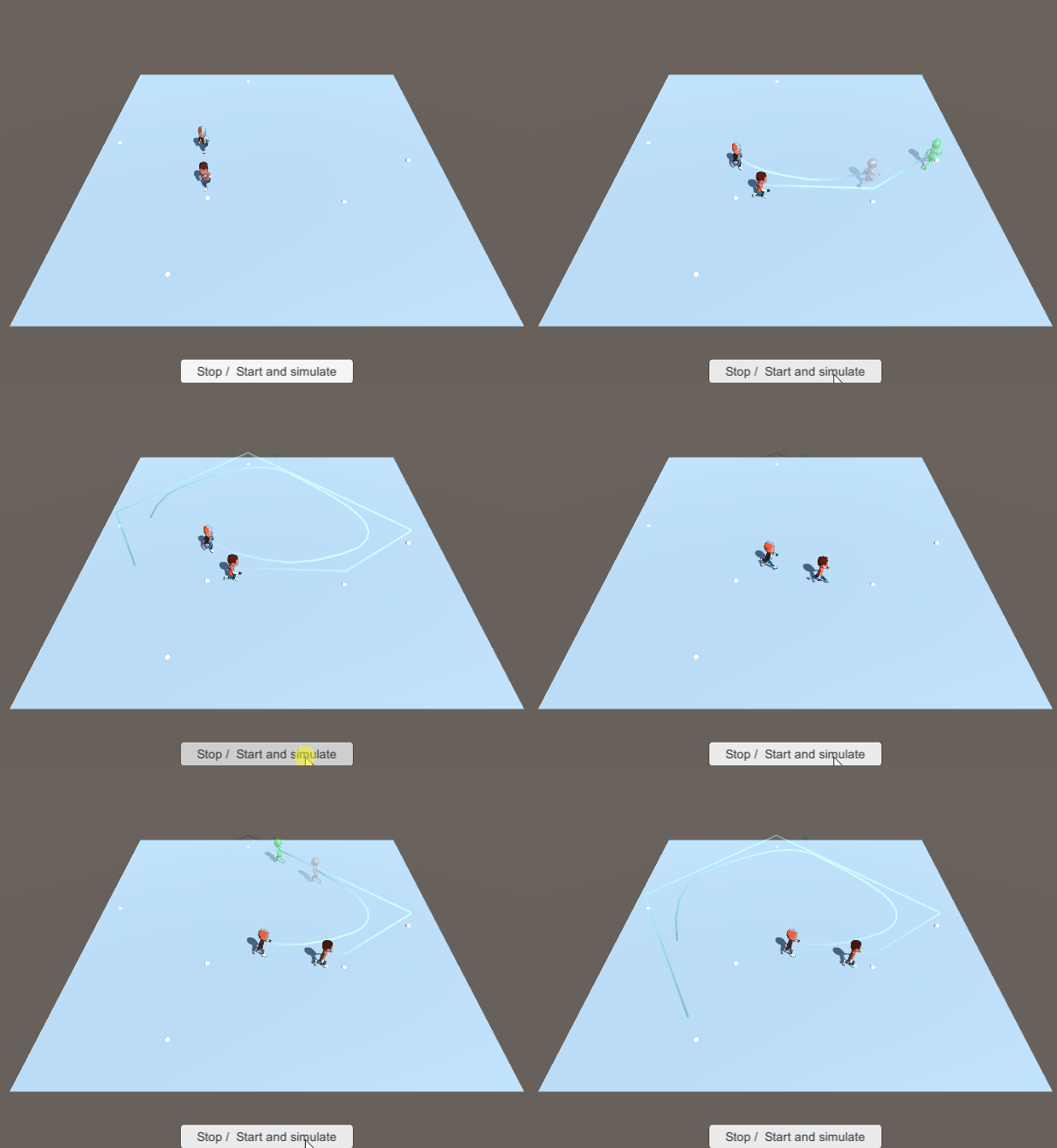
Simulate character AI, waypoint navigation, and non-physics logic.
Tower Defense (Object Pooling)
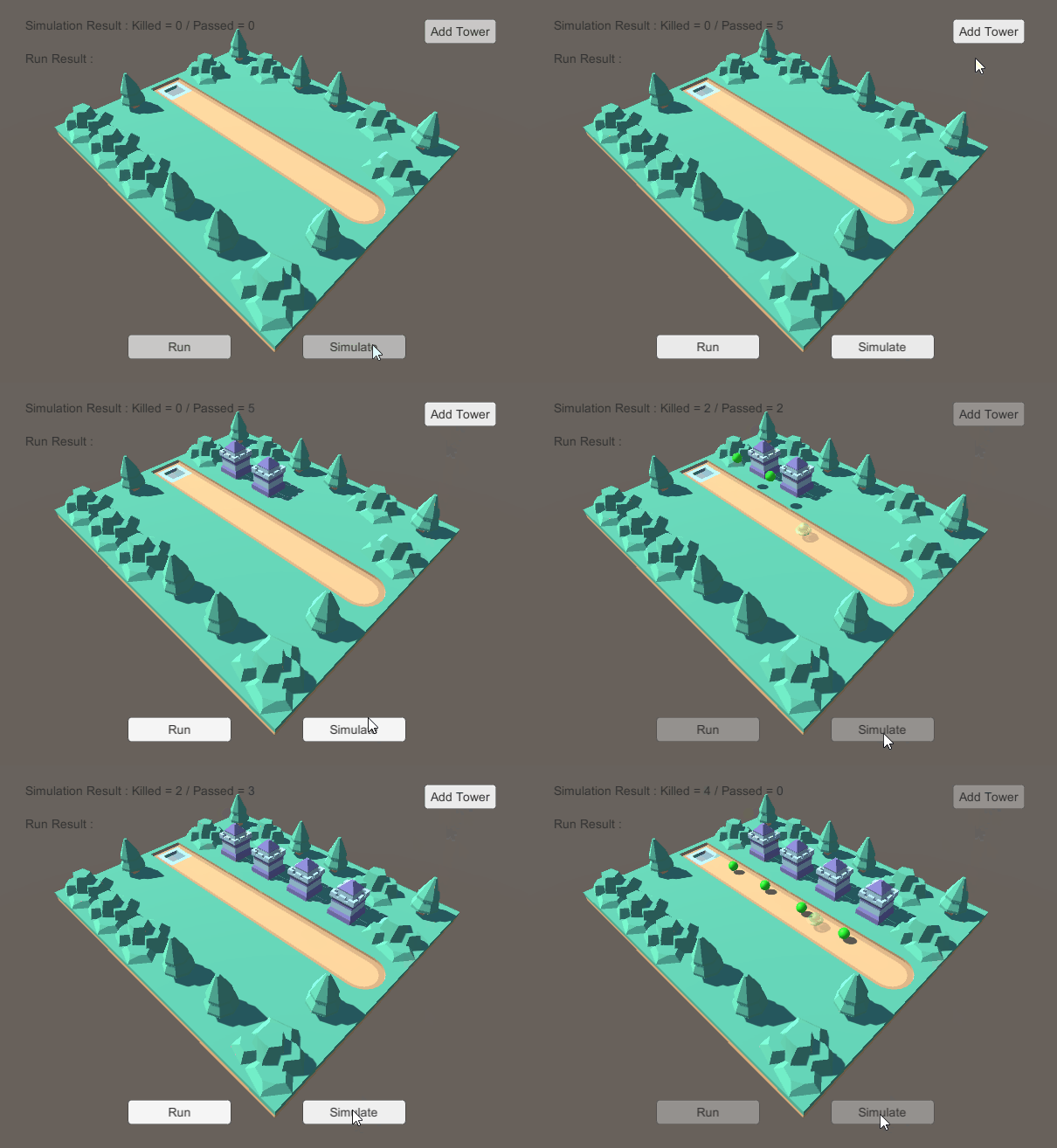
Demonstrates object pooling for spawned projectiles and despawned enemies during timeline scrubs.
C# Script API & Code Samples
1. Starting and Stopping Recording
using UnityEngine;
using Agamotto;

public class RecordController : MonoBehaviour
{
    [SerializeField] private TimeStone _stone;

    public void OnStartRecordClicked()
    {
        _stone.StartRecording();
    }

    public void OnStopRecordClicked()
    {
        _stone.StopRecording();
    }
}
2. Running Forward Trajectory Simulation
// Trigger a forward physics & code simulation for 60 ticks (e.g. 1 second at 60fps)
_stone.simulationTicksDuration = 60;
_stone.StartSimulation(resetTimeline: true);

// Listen to completion event
_stone.onSimulationComplete.AddListener(() => {
    Debug.Log("Simulation completed! Trajectory updated.");
});
3. Timeline Playback & Rewind
// Set playback position to a specific tick
_stone.playbackTickCursor = targetTick;

// Play backwards (rewind)
_stone.playbackSpeed = -1.0f;
_stone.Play();
FAQ & Best Practices
How should I handle object destruction when rewinding?
Destroy(). If objects are spawned and despawned during timeline recording or simulation, you must use an object pool (as demonstrated in the Tower Defense demo).
Why must I not use Time.deltaTime in simulation code?
Time.deltaTime will cause incorrect or inconsistent results. Always use the deltaTime passed as an argument in your simulation callbacks.
How do I avoid duplicate scripts during Onion Skinning?
duplicatePrefab property on OnionSkinVisualizer to specify a simplified visual-only mesh prefab without logic scripts, preventing duplicate component execution.
Contact & Community
Have technical questions or need help with Agamotto? Connect with us: